Every empty appointment slot means lost revenue — and you can’t get that time back. When clients don’t show up (no-shows), book appointments by phone and forget, or walk in without booking, your salon can lose potential revenue. A nail salon booking app can help solve these problems: reduce no-shows, allow clients to book 24/7, manage appointments more efficiently, and balance scheduled appointments with walk-in customers.
This is one piece of the bigger salon management picture — see the full overview in our article Nail Salon Management Software in the U.S.
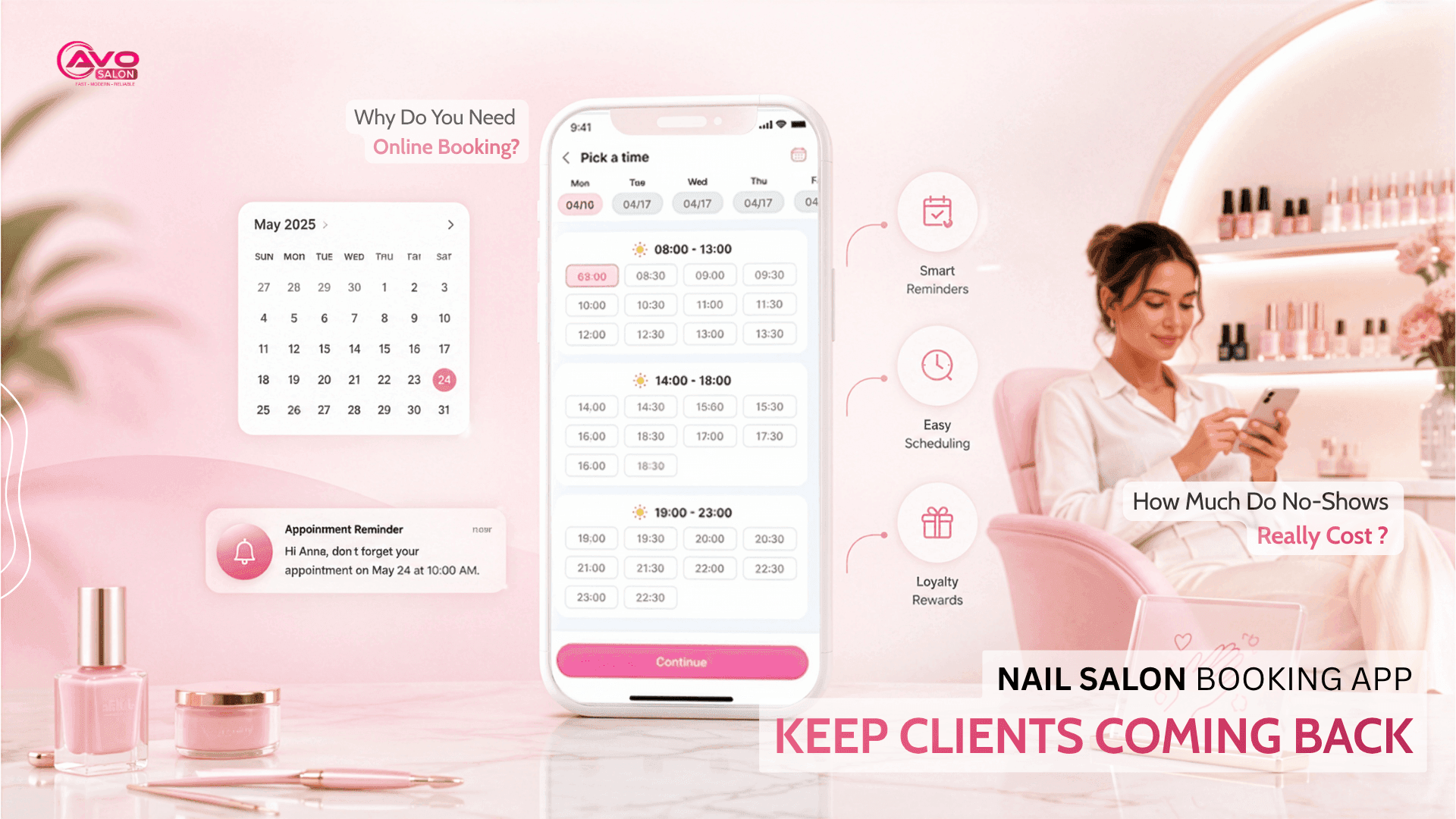
1. How Much Do No-Shows Really Cost — and Why Do You Need Online Booking?
Many nail salons consider no-shows “part of the business,” but the actual costs can add up quickly:
- Empty slots can’t be recovered. Unlike physical products, an appointment hour is perishable. Once the time passes, you can’t sell that slot again.
- Phone bookings can easily get lost. Staff may forget to write down an appointment, make a mistake, or fail to confirm it, causing the customer to miss their appointment.
- Customers want to book on their own. Many clients, especially younger customers, want to see available time slots and book directly from their phones instead of calling.
Online booking solves all three problems: customers can book at any time, the system automatically reduces scheduling mistakes, and the salon has a clear overview of appointments and availability.
2. Essential Online Booking Features
Not all booking apps work the same way. For a nail salon, look for these key features:
- Automatic reminders (SMS/email). Reminding clients 24–48 hours in advance is one of the simplest and most effective ways to reduce no-shows.
- Deposits or card holds. For busy time slots or special promotions, require a deposit or card hold to reduce last-minute cancellations.
- Multi-channel booking. Let customers book directly through Google (when they discover your salon on Maps), Instagram, Facebook, and your website — wherever they find you.
- Choose a technician and service when booking. Customers can select their preferred technician and service, while the system automatically calculates the required time so schedules don’t overlap.
- Automatic scheduling and conflict prevention. Keep schedules updated in real time and prevent two customers from booking the same time slot.
- Waitlist. When a customer cancels, the system can automatically notify people on the waitlist — turning an empty slot into a new booking.
3. Balancing Appointments and Walk-Ins
This is the key challenge for many nail salons, especially in the U.S.: balancing scheduled appointments with walk-in customers. If you don’t manage capacity carefully, these two groups can interfere with each other:
- Don’t make scheduled clients wait while trying to accommodate walk-ins — this can frustrate your most loyal customers.
- Don’t dedicate all your capacity to appointments during peak hours and leave no room for walk-ins.
- Let the system divide your capacity so appointments and walk-ins are handled efficiently. For example, you can allocate specific time slots for walk-ins while keeping the remaining capacity available for scheduled appointments. Learn more about How to Divide Shifts & Tips for Nail Technicians.
A good system allows you to define how many appointment slots and walk-in slots are available during each time period.
4. How to Set Up Online Booking for Your Nail Salon
Getting started is easier than many people think. Here are the basic steps:
- Add your booking link where customers can find your salon: Add it to your Google Business Profile, Instagram bio, Facebook page, and website.
- Configure your services, duration, and pricing: Set up the system with accurate service durations and available time slots.
- Enable automatic reminders and set clear deposit/cancellation policies: Make sure customers understand the policies before booking.
- Train your staff to use a shared calendar: Everyone should work from the same source of information to avoid scheduling mistakes.
Once online booking is properly set up, the entire process — from booking to payment — becomes more streamlined. Learn how Nail Salon Management Software can support this process, or explore AVO POS Features.
Frequently Asked Questions
Can a nail salon booking app really reduce no-shows??
Yes. Automatic reminders and deposit/card-hold features are two proven ways to significantly reduce missed appointments because customers receive reminders and have a stronger commitment to their bookings.
Does a salon that mainly serves walk-in customers still need online booking?
Yes. Online booking helps you manage your regular appointment customers while still leaving capacity for walk-ins — you don’t have to choose between the two.
What if older customers aren’t comfortable booking online?
That’s okay. Online booking simply adds another channel; it doesn’t have to replace phone bookings. Customers who prefer calling can continue to do so, while tech-savvy customers can use online booking.
Conclusion
A nail salon booking app isn’t just a tool for letting customers choose an appointment time — it’s a tool for reducing no-shows, encouraging repeat visits, and balancing scheduled appointments with walk-ins. Prioritize features such as reminders, deposits, multi-channel booking, and capacity management, and make sure the system integrates with your overall salon management workflow.
Want to see online booking in action for your salon? Book an AVO POS Demo or explore Pricing & Plans to choose the right option for your salon.